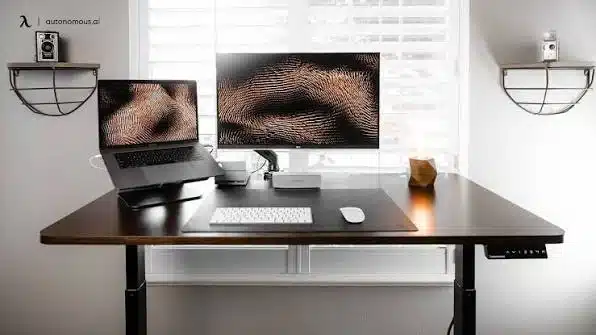
Achieving a clean, minimalist desk setup does not require emptying your bank account on luxury flagship hardware. True minimalism relies on intentional design, reduction of visual clutter, and functional harmony.
The best budget-friendly peripherals deliver premium tactile feel, clean industrial profiles, and wire-free aesthetics without the heavy price tag.
1. Keyboards: Clean Form Factors and Muted Acoustics
A bulky, over-engineered gaming keyboard instantly breaks a minimalist aesthetic. Look for compact form factors (like 75% or 65% layouts) that preserve arrow keys while dropping the redundant number pad to save desk space.
- Top Pick (Best Value 75%): Ajazz AK820 Pro (~$55 – $60) Tom’s Hardware
- Why it fits: It features a gasket-mounted design (usually reserved for high-end custom keyboards) that provides a soft, muted typing sound and feel. It includes factory-lubed switches, clean double-shot PBT keycaps, and a low-profile volume knob that maintains a sleek desk profile. Tom’s Hardware
- Alternative Pick (Best Compact 65%): Royal Kludge R65 (~$50 – $60) Tom’s Hardware
- Why it fits: Extremely space-efficient layout with dedicated arrow keys. Its muted colorways and smooth factory-lubed linear switches give it an understated, professional look on a minimalist wood or matte-black desk surface. Tom’s Hardware+ 1
2. Mice: Symmetrical Silhouettes and Ergonomic Cleanliness
Minimalist mice prioritize smooth tracking, subtle branding, and shapes that sit low and clean on a desk pad.
- Top Pick (Best Budget Wireless): Logitech G305 Lightspeed (~$40)
- Why it fits: While marketed as a lightweight gaming mouse, its symmetrical, egg-like shell is an icon of minimalist design. Devoid of aggressive angles or flashing RGB lights, it looks completely at home in a professional workspace. Its wireless latency is non-existent, and a single AA battery lasts for months.
- Alternative Pick (Best Productivity Value): Keychron M3 Wireless or Ugreen Wireless Mouse (~$30 – $40)
- Why it fits: These options offer multi-device Bluetooth connectivity (allowing you to seamlessly switch between a laptop and desktop) with silent clicking mechanisms that keep your workspace quiet and distraction-free.
3. Surface Anchors: Felt or Leather Desk Mats
The fastest way to unify mismatched peripherals and establish a clean anchor point is a large desk mat. It hides minor surface imperfections, dampens keyboard acoustics, and frames your setup.
- Top Pick: Merino Wool Felt or PU Leather Desk Mat (~$15 – $25)
- Why it fits: Avoid cheap cloth gaming mousepads with fraying edges. Instead, opt for a dark charcoal felt wool pad (which adds texture and warmth) or a smooth vegan leather mat (which offers a sleek, executive look and wipes clean effortlessly). A 900x400mm mat cleanly anchors both your keyboard and mouse with room to spare.
4. Audio & Illumination: Minimal Footprint Light Bars
Clunky desk lamps take up valuable surface area and cast uneven shadows.
- Top Pick: Quntis / Baseus Monitor Light Bar (~$30 – $45)
- Why it fits: Rather than sitting on your desk, a monitor light bar clamps directly onto the top bezel of your display, casting asymmetrical LED light straight down onto your documents while eliminating screen glare. It completely frees up desk real estate and creates a clean, floating-light aesthetic during late-night work sessions. ElectronicsHub by Alibaba.com+ 1
Summary Minimalist Buying Blueprint
- Keyboard: Compact 75% or 65% mechanical board with muted switches (e.g., Ajazz AK820 Pro or Royal Kludge R65). Tom’s Hardware
- Mouse: Symmetrical, matte-finish wireless mouse (e.g., Logitech G305).
- Surface: Charcoal felt or black leather desk mat to unify the layout.
- Lighting: Screen-mounted LED light bar to keep the desk surface completely clear of lamp bases.